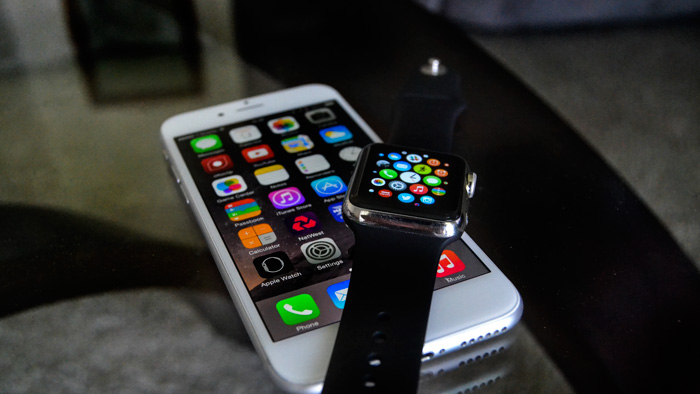
Yesterdays Apple Event threw a lot of information at viewers about software updates and improvements. Two of those updates are iOS 9 and watchOS 2. As you can expect Apple put quite a lot of new features into these releases so here are a few things you should know about iOS 9 and watchOS 2 you may have missed through all the excitement of the keynote.
Six digit passcode, not four
The new default setting for a passcode will be six digits long instead of four on Touch ID–enabled devices. Apple say: “If you use Touch ID, it’s a change you’ll hardly notice.” Even though this means there are a potential one million possible combinations, this has the potential to confuse a lot of users as four digit passcodes are usually the norm for a lot of security features e.g. bank pins and other electronic access passcodes. A four digit pin code is still available but it must be chosen manually as it’s no longer the default.
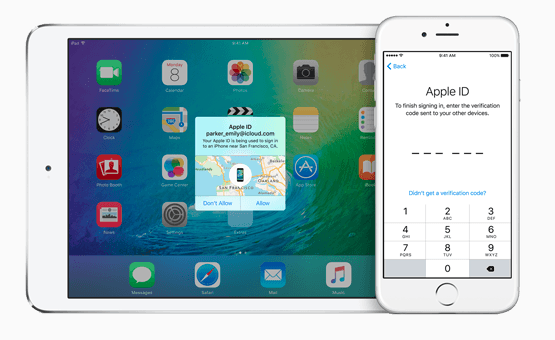
On the subject of security, Apple have added a two-step verification to iOS 9 meaning that when you sign in from a new browser or on a new device, you’ll be asked for a verification code. This code is displayed on your other Apple devices or sent straight to your phone for verification.
Travel in time… kind of
A new feature you can expect on watchOS 2 is ‘Time Travel’. By turning the Digital Crown you can check how things will look tomorrow as well as how they were yesterday. Time Travel only seems to be helpful on watch faces with complications. The feature will allow you to see what the weather will be like , check your schedule and catch up on news headlines. Pressing the Digital Crown will set you back to the current time again.
Good things come in small packages
Apple have finally reduced the size of the update meaning people with smaller capacity iPhones can experience what this update has to offer. It’s scheduled to be available in Autumn and is only 1.3 GB in size saving 3.28GB in comparison to the iOS 8. The update will affect these four areas of iOS device operation: Built-in apps, iPad Experience, Intelligence and Foundation. iOS 9 will be compatible with all the devices in the image below.

Siri’s getting smarter
Siri will be able to search for a wider range of topics as well as give the user a wider range of responses. Siri will also be able to understand what you say more accurately and deliver your results faster according to Apple. iOS 9 is said to be smarter in lots of other ways by giving you suggestions before you ask for them. With iOS 9 you’ll be able to ask Siri to search through your pictures and videos based on dates, locations, and album titles. Siri will also be able to remind you about what you’re looking at in your apps now and remind you to follow-up on them later. If you’re halfway through emailing a colleague and want to finish it after lunch, you can say “Remind me about this after lunch.” Alternatively, if you’re looking at a place in Maps and you see somewhere you’re thinking about stopping later, you can ask for a reminder when you get into your car.
Put it on the nightstand
With watchOS 2 you’ll be able to use the Apple watch even when you’re not wearing it anymore. By placing it on its side while connected to the charger the Apple Watch will automatically go into Nightstand mode. The display illuminates whenever you touch the screen, the Digital Crown, or the side button. When an alarm goes off you press the side button to turn it off or the Digital Crown to snooze. Time to ditch those alarm clocks.

One more thing… Have it your way
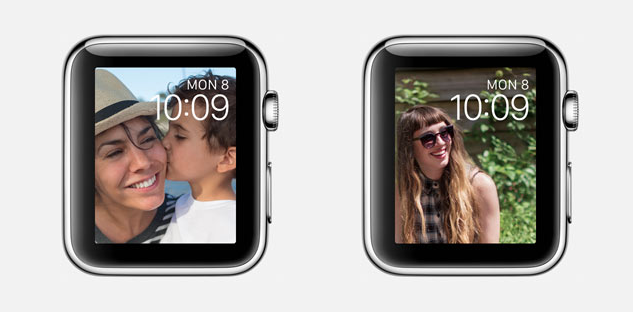
With watchOS 2 you’ll be able you express yourself through your watch face, exactly how you want to. With the current version of watchOS you’re unable to use your photos on your watch face but now you can. You can set single photos, albums that change every time you rise and lower your wrist, and pre made time lapses of a few iconic cities.
There are plenty more things to discover in iOS 9 and watchOS 2 and if you want to experience it you can sign up to the public iOS 9 beta which will be release in July before the official release in Autumn. The developer beta is currently available but requires a developer account which costs £79 or $99. Be aware that THIS IS A BETA so apps can potentially crash and the best thing to do would be to report these bugs to Apple.
To sign up to the public beta follow this link and for more information on getting a developer account and getting the iOS 9 Beta now follow this link.


 JordyJourno
Just a little thing, it’s not mandatory for a 6 digit passcode, I’ve retained my 4 digit and you can choose between 4 and 6 🙂
Thanks for that Sean, had quite a few people complaining after the keynote about it but I’ll be sure to update this now.